
Our Tools

Alongside the design work, Tim has built SheetCheck — a set of AI-powered tools that check a plan set against a checklist, compare one revision against the next, and review a set discipline-by-discipline for certification. Every set that leaves Baxter Design is run through it first, and it’s now available for other practices to use too.
Sheet Check
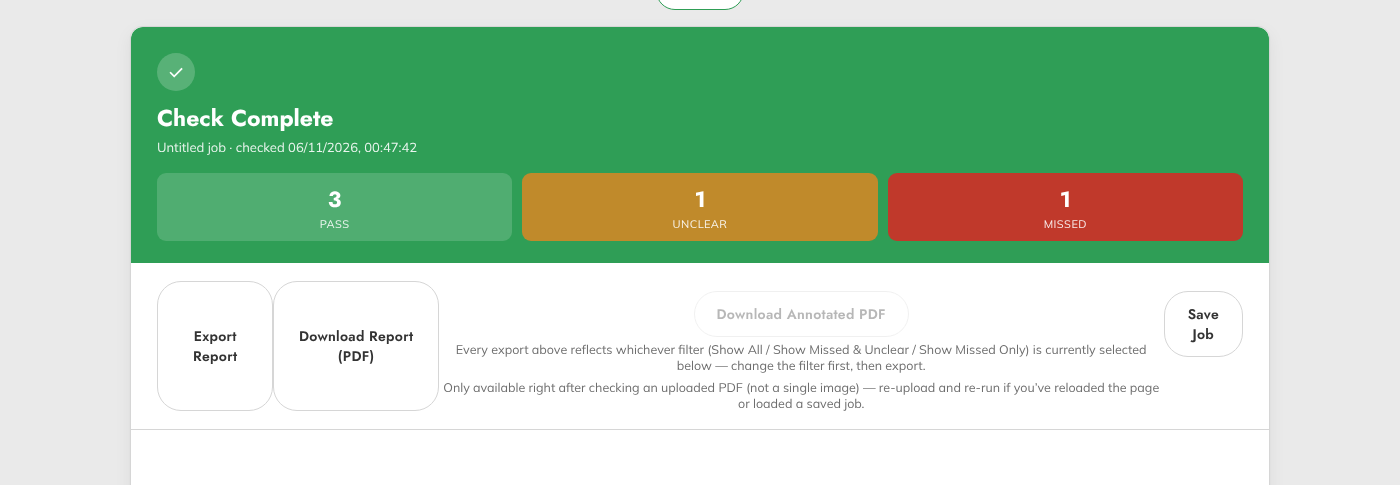
Upload a plan set and SheetCheck reviews it sheet by sheet against your own checklist — flagging what’s missing, what’s unclear, and what’s already confirmed, with a marker placed directly on the drawing for each finding.
Sheet Comparison
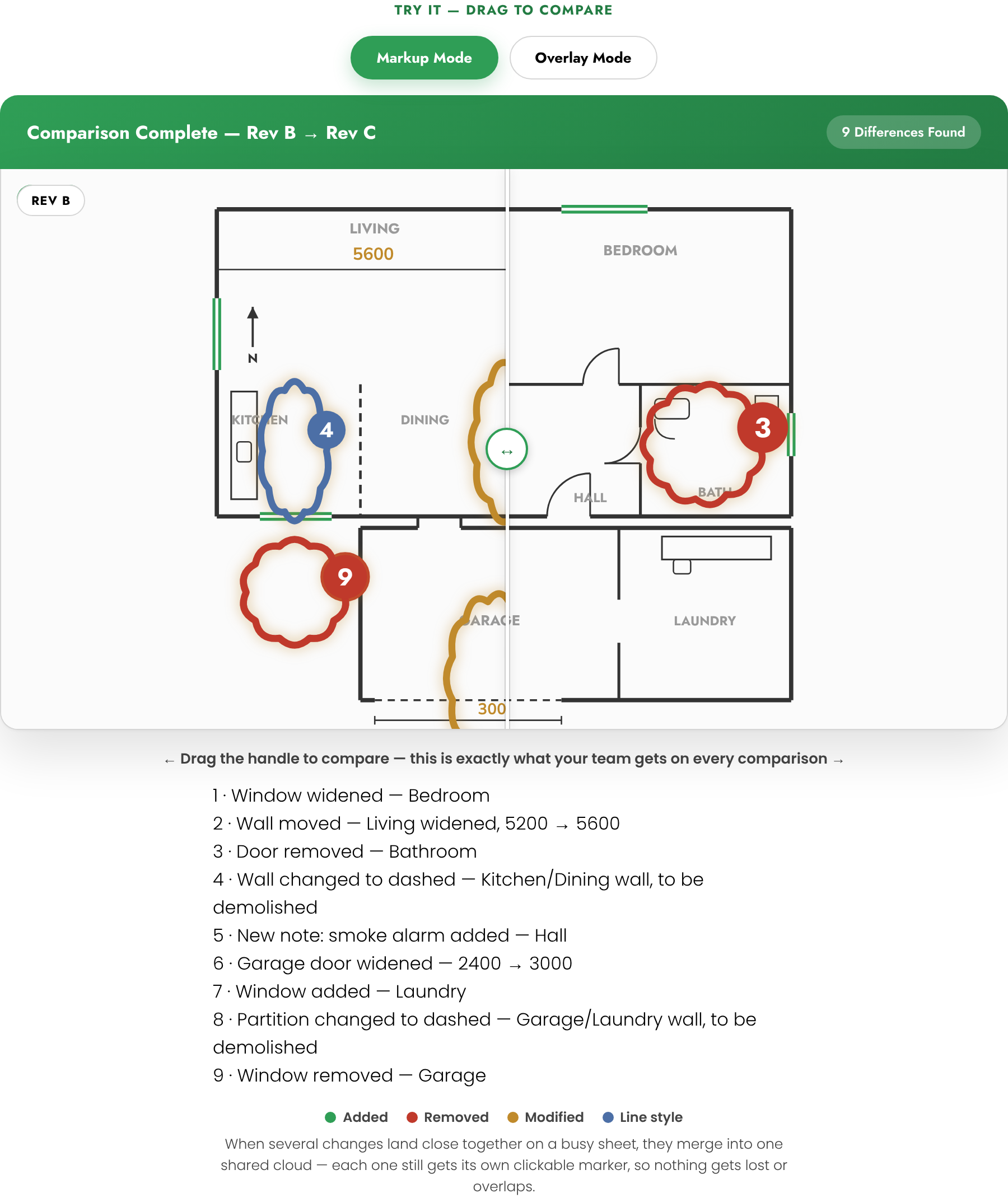
Drop in two revisions of the same set and SheetCheck finds every real change between them — drag a slider to see exactly what moved, what was added, and what was removed, sheet by sheet.
Certifier Check
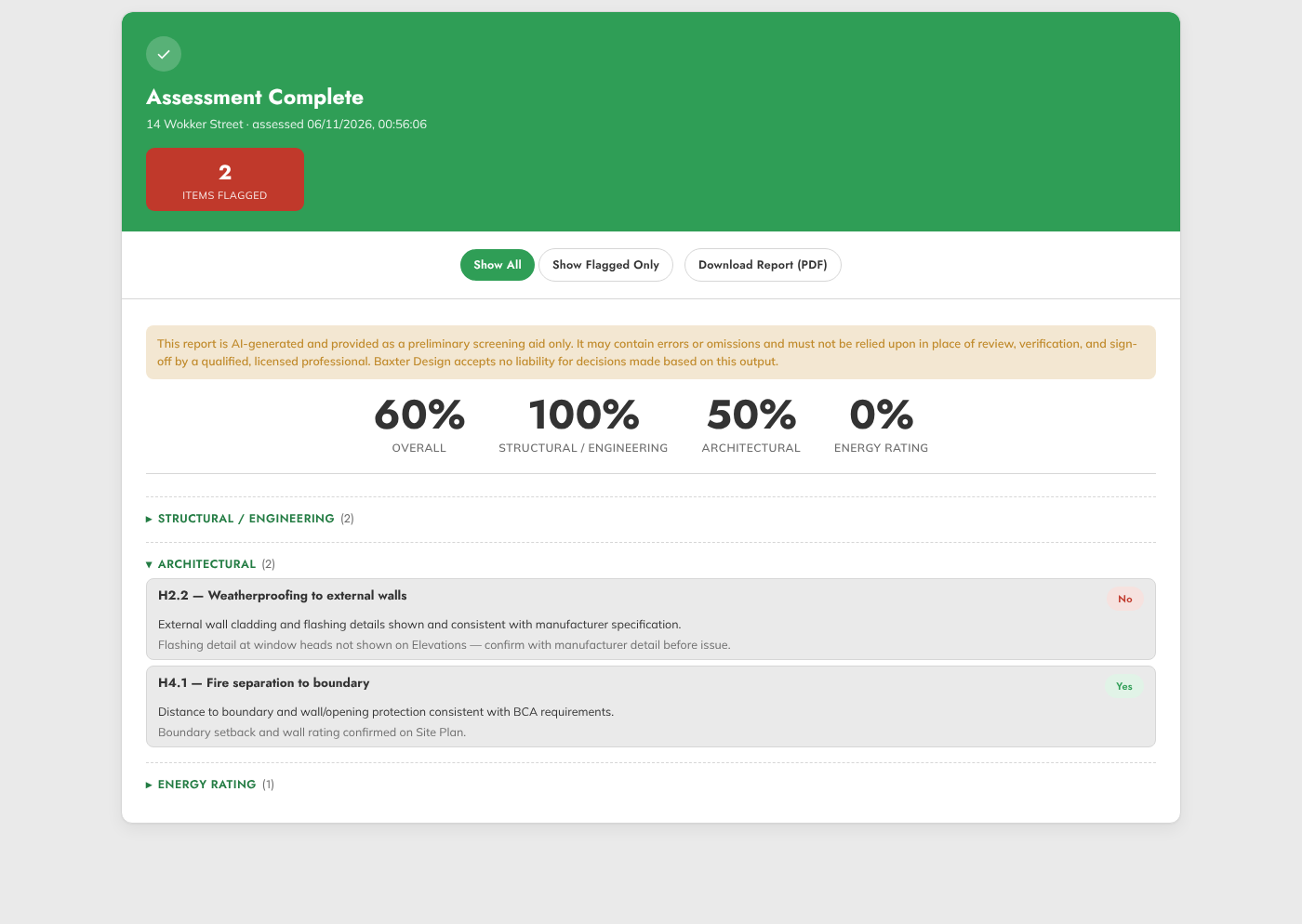
A third tool for projects that need an extra layer of sign-off — a discipline-by-discipline review against a certifier’s own checklist, covering structural, architectural, energy and liveable housing requirements, with every item scored and flagged the moment something needs attention.
Why its worth doing
~1 hour
A proper manual checklist pass — printing plans, working through them by hand against the list — takes a senior person the better part of an hour. SheetCheck does the same first pass in minutes, so that hour goes back into actual design work.
What it catches
before it leaves
A window left off a schedule, a missing setback dimension, a note that didn’t carry across a revision — small things that are cheap to fix on screen and expensive to fix on site.